When you upload a PDF to an AI tool, the system does not necessarily read the same page you see. It may extract text, interpret page images, run optical character recognition or retrieve selected passages. A table can lose its structure; an image can be skipped; a scanned document may need an entirely different processing route.
The answer to “where did my file go?” therefore has several parts: how it was read, where it was processed, how long it is kept and whether it can be used for another purpose.
The file and its representation
An application may retain the original file while creating other representations of it. Search systems often divide text into smaller passages so they can retrieve relevant sections for a question. Some create numerical representations called embeddings, which help find passages with related meaning.
This can make large collections useful, but it is not a guarantee that every line has been examined. If you ask about an exception buried in an appendix, the system may fail to retrieve it. A confident answer can still be based on an incomplete selection.
For a document with important tables or diagrams, ask the tool to identify the relevant page and show how it reached a conclusion. Check the original alongside the answer. This is especially useful when a PDF mixes scanned pages with selectable text.
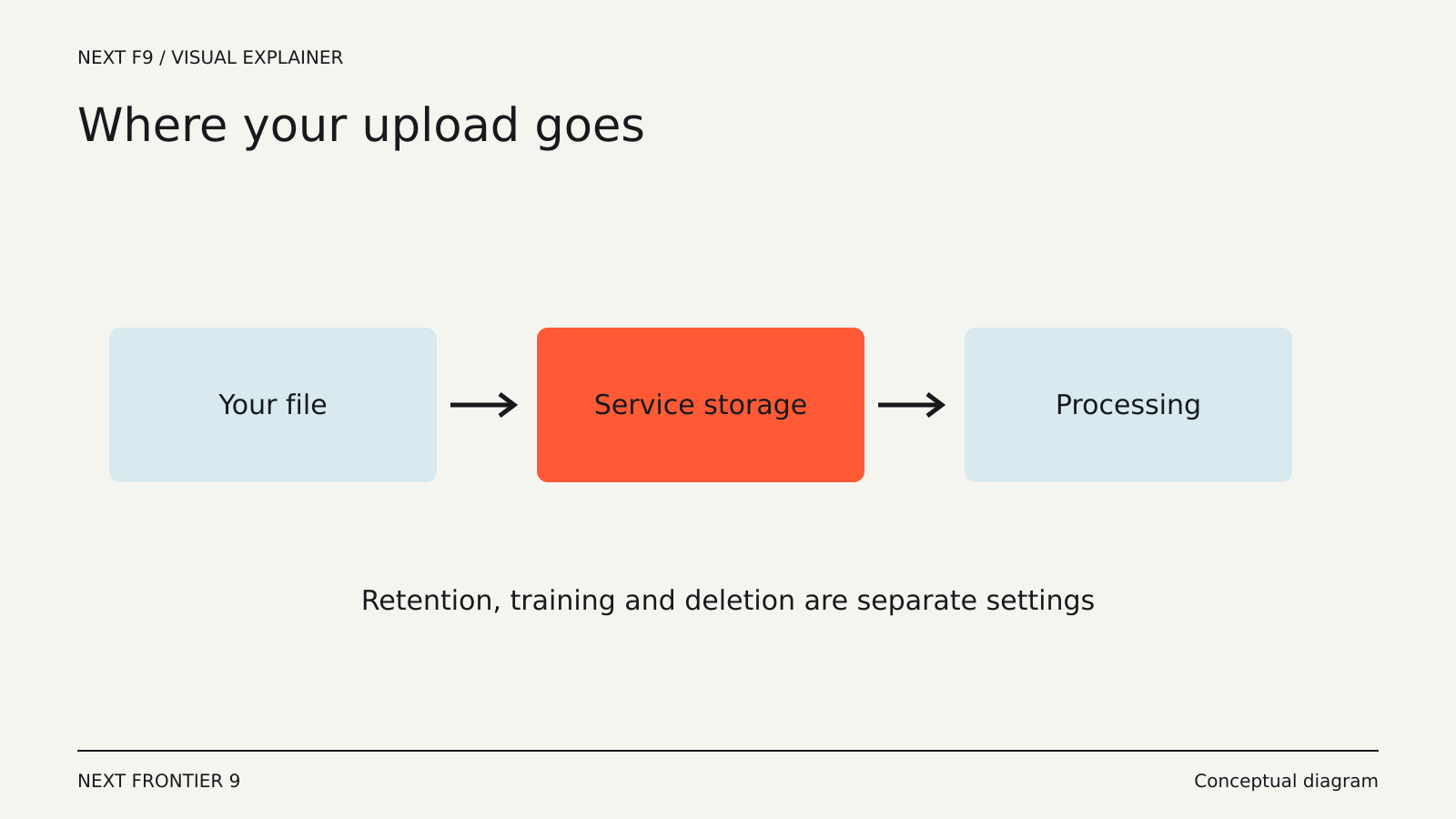
Processing and storage are different
A tool can process a file briefly, keep it attached to a conversation or store it as a reusable knowledge source. These choices may have different retention rules even within one product.
For example, OpenAI’s File Uploads FAQ distinguishes files associated with chats, files attached as knowledge to a custom GPT and files processed by analysis tools. The published rules also describe exceptions to deletion timelines. Those are product-specific terms, not a universal rule for AI uploads.
The practical question is whether you are making a temporary request or creating a persistent resource. A shared assistant’s knowledge collection can outlive the chat in which you first configured it.
Deleting a message is also not necessarily the same operation as deleting the uploaded object. Use the product’s actual file and retention controls rather than assuming that closing a window removes server-side data.
Training is a separate question again
A service can keep information to provide a feature without using it to train a model. Conversely, a consumer service may describe circumstances in which submitted content can contribute to improvement.
The relevant policy may depend on your account type, product and settings. OpenAI’s FAQ, for example, distinguishes consumer services from its business offerings when explaining model-improvement use. A statement about an API account should not automatically be applied to an unrelated consumer application.
Read the terms for the service you are actually using. A third-party app built on a model provider’s API also has its own storage and logging behavior. The upstream model provider’s policy does not describe everything the app developer does.
Sharing changes the audience
Uploading a file to a private conversation, a team workspace and a publicly shared assistant are different actions. The model’s processing rules are only one part of the access question.
Consider who can view the conversation, query the knowledge collection or follow a shared link. An assistant might reveal information from a document in an answer even if it does not offer the original file for download. A link that looks like a demonstration can still disclose commercially sensitive details.
Before adding a large collection, test the sharing model with a harmless sample. Check what a second account can see and whether revoking a link changes access as expected.
A local tool can still connect to the cloud
“Runs on your laptop” can describe the interface rather than the processing. Some desktop products send requests to remote models; others support both local and cloud modes.
Ollama’s documentation explicitly distinguishes local execution from cloud-hosted models and provides a local-only setting. That is a useful example of the kind of detail to look for. The important evidence is the execution mode and connected services, not the presence of a desktop icon.
Local execution also leaves files, conversation history or indexes on your device. Device access and backup settings still matter.
A small check before a large upload
Start by identifying the exact product, account and sharing destination. Then establish whether the tool can interpret the document’s format, what it retains and how to delete it. If the file contains information you do not need for the task, a smaller relevant extract is easier to verify.
After processing, review the answer against the source, especially names, dates, totals and exceptions. Uploading is a way to give a system evidence. It does not relieve the system—or its reader—of checking whether that evidence was understood.