
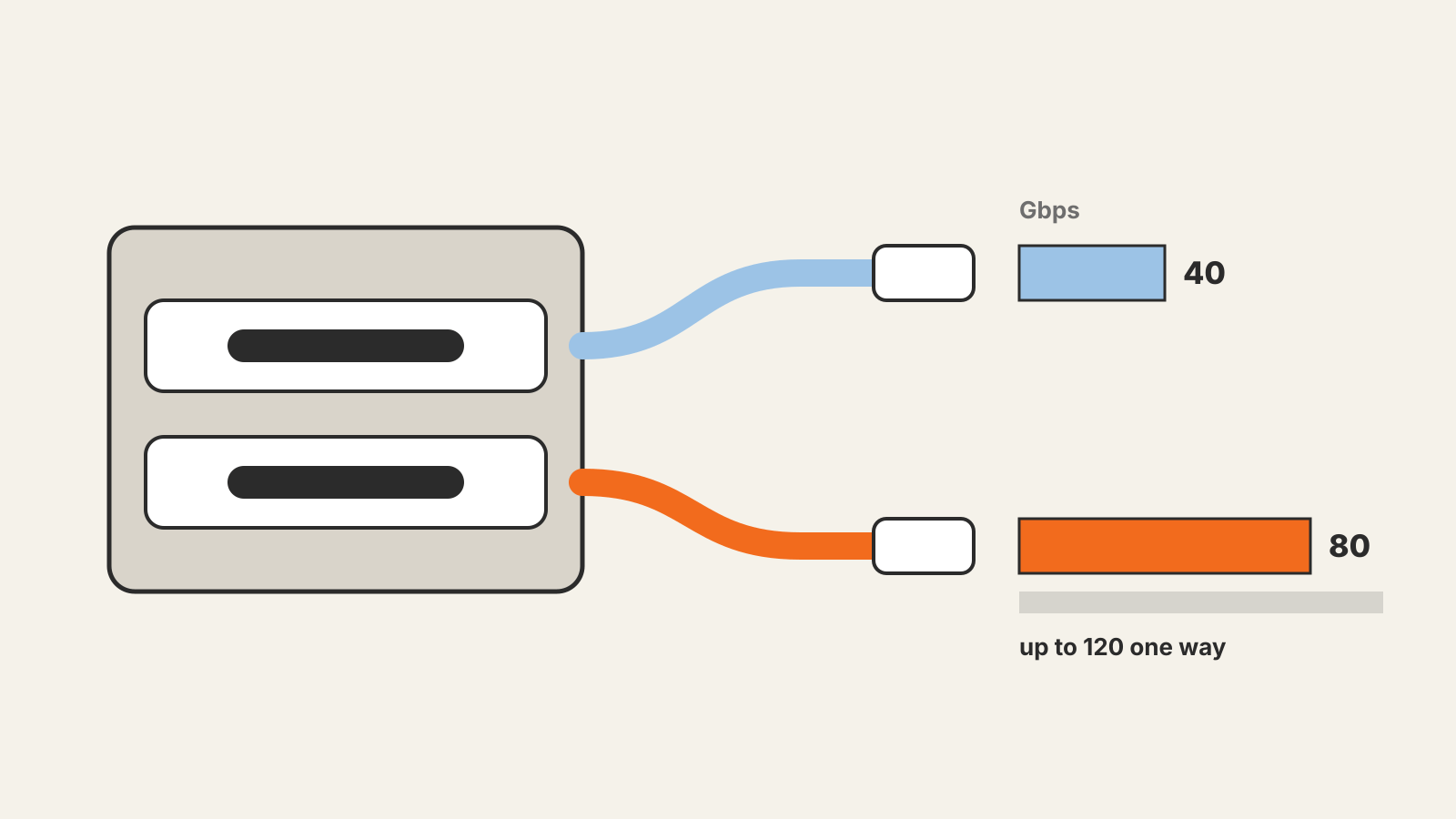
USB4 vs. Thunderbolt 5 is less a contest between two rival ports than a question of guarantees. Thunderbolt 5 is built on USB4 Version 2.0, and both use the same USB Type-C connector and can reach 80 gigabits per second. The difference is what a port is required to do: USB4 lets device makers choose among several speeds and features, while a port certified for Thunderbolt 5 must meet Intel’s fixed minimums for data, PCIe, displays and accessory power.
Two names, one foundation
USB4 is a specification from the USB Implementers Forum (USB-IF), the industry group behind USB. In October 2022 the USB-IF published USB4 Version 2.0, which raises the top speed to 80Gbps over USB Type-C, doubling the earlier maximum. It does this with a new physical layer based on PAM3 signaling. The USB-IF says the version is backward compatible with all previous versions of USB and aligns with DisplayPort 2.1 and PCI Express 4.
Thunderbolt is Intel’s brand. Intel’s Thunderbolt 5 technology brief, published in September 2023, says Thunderbolt 5 leverages “the latest USB4 v2 and DisplayPort 2.1 standards,” and lists USB4 specification compliance as a requirement for both Thunderbolt 4 and Thunderbolt 5. In other words, a Thunderbolt 5 port is a USB4 port with a stricter checklist.
What USB4 allows
USB4 covers a range of products. Before Version 2.0, USB4 products came at speeds the USB-IF markets as USB 20Gbps and USB 40Gbps. Version 2.0 adds USB 80Gbps. The USB-IF’s release also describes:
- an optional asymmetric mode that sends up to 120Gbps in one direction while keeping 40Gbps in the other, aimed mainly at very high-performance displays;
- tunneled USB data that can run faster than 20Gbps;
- cables: USB 80Gbps works over existing 40Gbps USB Type-C passive cables, and new 80Gbps active cables are defined as well.
The USB-IF asks manufacturers not to use specification names when describing products to buyers, and to identify certified products under its USB 80Gbps branding. That is why a laptop’s specifications may list “USB 40Gbps” instead of “USB4.”
Because much of this is optional, two laptops can both have USB4 ports and still differ in speed, display support and the power they supply to accessories.
What Thunderbolt 5 requires
Intel’s brief sets out the Thunderbolt 5 requirements next to Thunderbolt 4’s:
| Requirement | Thunderbolt 4 | Thunderbolt 5 |
|---|---|---|
| Data | 40 Gbps | 80 Gbps in both directions |
| Bandwidth Boost | not listed | up to 120 Gbps when video demand is high |
| PCIe | 32 Gbps | 64 Gbps |
| Video | dual 4K | dual 6K |
| PC charging | available up to 140W | available up to 240W |
| Port power for accessories | at least 15W | at least 15W |
| USB4 compliance | required | required |
Intel says Bandwidth Boost is based on the asymmetry mode in the USB4 Version 2.0 specification. It is the same 120Gbps-one-way idea, made part of the Thunderbolt feature set for display-heavy setups. Intel also lists universal cables up to 2 meters long at the full Thunderbolt 5 speed.
The PCIe figure matters for external graphics cards and fast external storage, which talk to the computer over PCIe. Double the PCIe bandwidth means more room for those devices before the link becomes the bottleneck.
How to tell which one you have
The connector does not tell you; USB4, Thunderbolt 5 and plain USB-C ports all look the same. Check instead:
- the port label or icon next to the port, and the laptop’s specification sheet;
- the speed name in the specifications, such as USB 40Gbps or USB 80Gbps;
- Thunderbolt 5 named on the specification sheet, which tells you Intel’s minimums apply;
- the cable, because the link runs at the speed of the slowest part: port, cable or device.
Which to look for
For a single external monitor, a USB stick or charging a phone, a USB4 port is usually enough. Thunderbolt 5 makes more sense for the cases its minimums are designed around: two high-resolution displays from one port, an external GPU, very fast external SSDs, or a dock that also has to charge a power-hungry laptop. Since Thunderbolt 5 requires USB4 compliance, a USB4 device should also work in a Thunderbolt 5 port; the extra features appear only when both ends support them.
For other short-range connections in your devices, see what NFC is and what Qi2 wireless charging is.