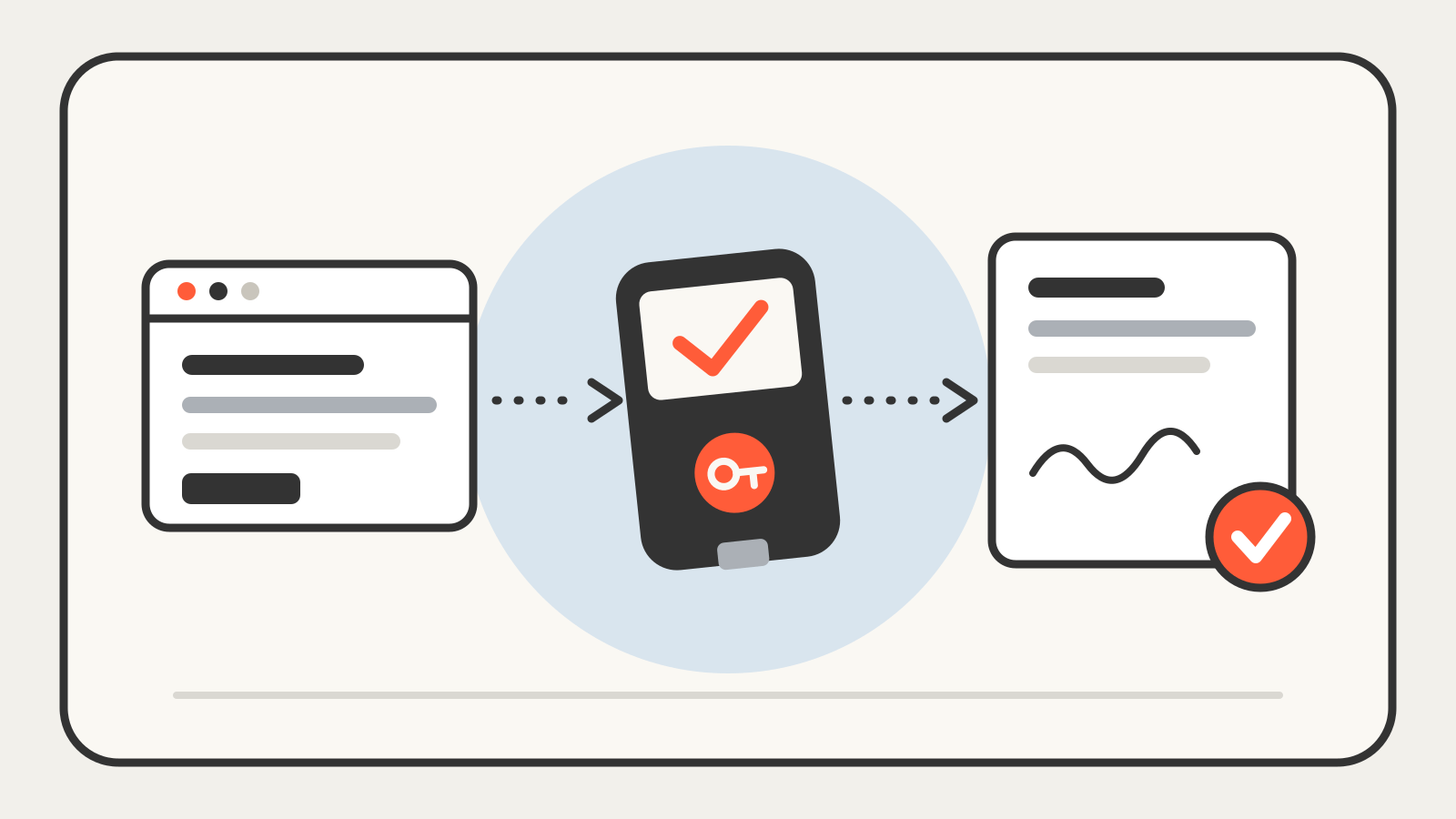
A hardware wallet is a small physical device that holds the private keys to your crypto and approves transactions itself, so the keys never sit on your phone or computer. Your computer prepares a payment, the device shows you the details and signs it, and only the finished signature goes back out to the network.
Quick answer A hardware wallet moves the one secret that matters, your private key, off the internet-connected device you browse with. That blocks a common attack: malware on your laptop reading your keys. It does not stop you from approving a bad transaction, and it is only as trustworthy as the device you received. Buy it from the maker or an authorized reseller, and never type your recovery phrase anywhere except the device’s own setup.
What a hardware wallet actually holds
A crypto wallet does not store coins. The coins live on the blockchain, and the wallet stores the keys that can move them. Ledger describes a hardware wallet as a physical device that stores your private keys in an environment separate from an internet connection, and Trezor says the same thing from the other direction: the private key itself never leaves the device.
The same keys can be rebuilt from a backup. When you set up the device, it generates a recovery phrase, which is the seed phrase that can restore your accounts on a new device if this one is lost or broken. Anyone who obtains that phrase controls the funds, so the phrase matters more than the gadget.
How a transaction is signed
The device is not a standalone computer you browse the web on. It pairs with an app on your phone or laptop, and the two share the work:
- You build a transaction in the app, for example “send this amount to this address.”
- The app sends the unsigned details to the hardware wallet.
- The device shows the details on its own screen. Ledger calls this screen the one trusted place to confirm where assets are going, and notes that it helps against a compromised computer showing you something different.
- You approve with the device’s buttons or touchscreen.
- The device signs the transaction with the private key inside it and returns only the signature.
- The app broadcasts the signed transaction to the network.
A signed transaction cannot be quietly changed on the way out, which is the same idea behind a digital signature. Ledger says the signing happens inside a Secure Element, a tamper-resistant chip. Trezor’s newer models use similar secure chips for authenticity checks.
Hardware wallet vs. cold wallet
People often use the two terms as synonyms. Ledger’s own documentation says they are not. A cold wallet is a wallet that stays offline and never interacts with smart contracts or apps, used only to hold, send and receive. A hardware wallet is a device that can serve as one, but can also connect to apps and decentralized services. An account on a hardware wallet stays “cold” only as long as you do not connect it to those apps.
What a hardware wallet cannot do
It protects the key. It does not judge your decision. Ledger notes that a hardware wallet cannot stop you from signing a malicious smart contract or falling for a social-engineering scam: once you approve a transaction, the signature is valid. If you approve a token spend you did not understand, the device will sign it like any other. Read the details on the device screen, not only on the computer.
It also does not remove the backup problem. Lose the device and the phrase, and the funds are gone. Expose the phrase, and the device no longer matters.
The part most guides skip: the device must be genuine
A hardware wallet is only protective if nobody has altered it before you. That is why Trezor’s guidance is blunt: never buy from an unauthorized third party, because you cannot tell who had access to the device first. Its support pages describe several checks:
- Packaging and seals. Safe models arrive with a tamper-evident holographic seal. A torn, missing or residue-covered seal is a reason to stop and contact support.
- No firmware at the factory. A new Trezor ships without firmware, and setup checks for it. If firmware is already installed, the device should not be used.
- Signed firmware. The bootloader verifies the firmware signature each time the device connects.
- Secure Element authentication. On the Safe 3 and Safe 5, a certificate issued at the factory is checked in Trezor Suite to confirm the device is genuine.
- Entropy check. During setup, Trezor Suite checks that the device follows the documented wallet-generation process, because a tampered device could produce a wallet that looks normal but is predictable.
These checks are not guarantees against every attack, and the makers say so. They reduce the odds, and buying from the official shop or an authorized reseller reduces them further.
A recent example
On October 30, 2026, Trezor published a warning about a reseller, CryptoBilis, which had been an official reseller in Southeast Asia until October. Trezor said that on October 9 Ledger began investigating fund losses among customers who had bought from the same reseller, and that Ledger later confirmed some devices had been physically tampered with. On October 28, Trezor received a report of a Safe 5 bought from CryptoBilis with an extra board containing a cellular module that could read the screen, including the wallet backup. Trezor had not yet examined the device but called the report credible, said no losses had been reported to it, and told anyone who bought a Trezor from CryptoBilis since March 2026 to move funds to a new wallet with a new seed. It added that restoring the old backup on another device does not solve the problem, and that weighing or opening a device is not a reliable test. We covered the notice in our November 2 Daily 9.
The lesson is not that hardware wallets fail. It is that the supply chain is part of the security model.