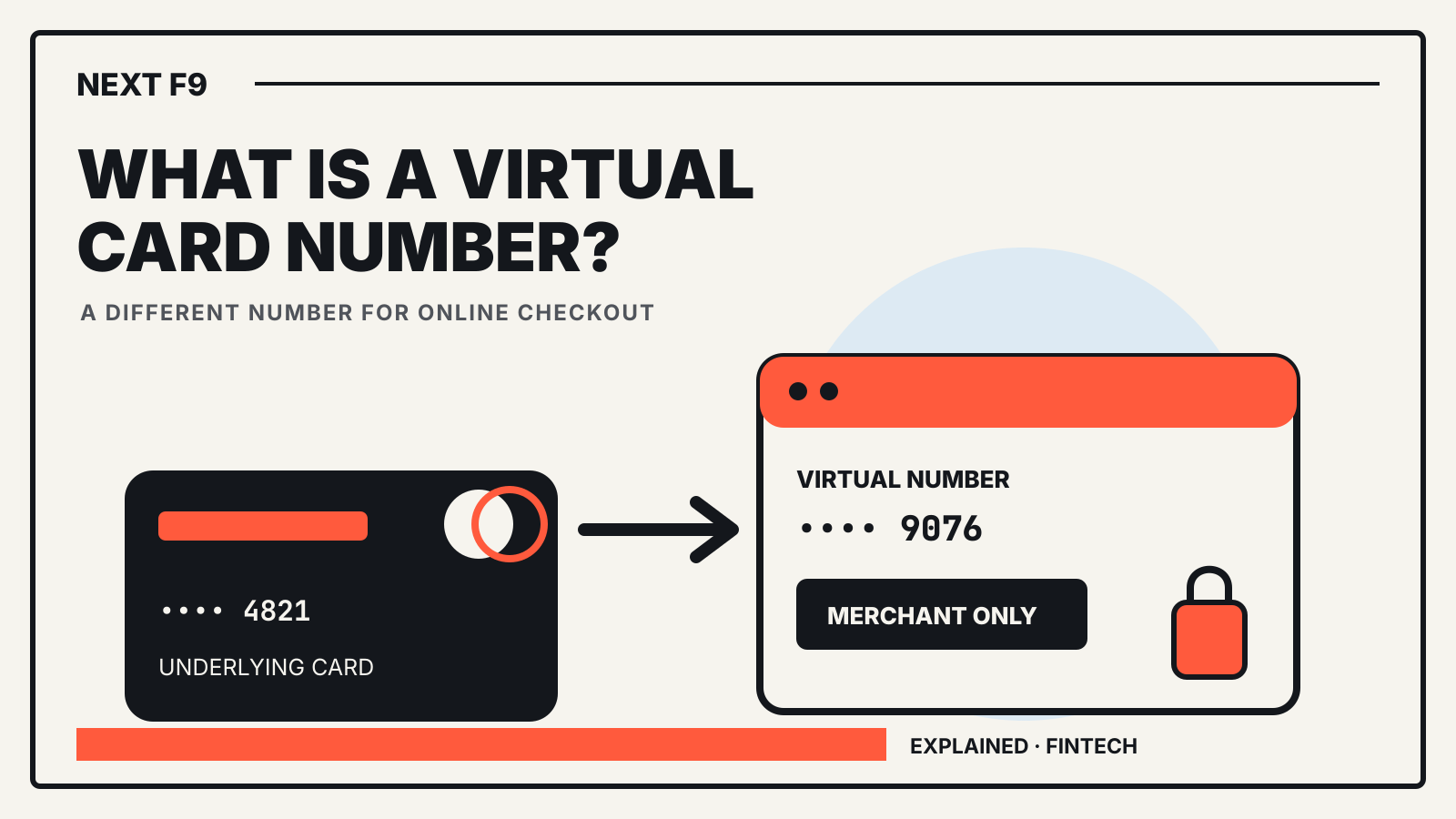
A virtual card number is a card number created for digital payments and linked to an underlying card or funding account. It lets you pay online without giving the merchant the number printed on your physical card.
Quick answer The merchant receives the virtual number, expiry date and security code. Your issuer maps the payment back to the underlying account. Depending on the issuer, the number may work anywhere online, only at one merchant or for one purchase.
What changes at checkout
A virtual card usually looks like an ordinary card to the merchant. It has a card number, an expiry date and a security code, and the payment still travels over a card network.
The difference sits behind the payment form. The virtual number points to an account that funds the purchase, while the merchant does not receive the physical card number. Mastercard describes business virtual cards as unique numbers linked to an underlying funding account. Capital One describes its consumer virtual numbers as substitutes tied to a credit-card account.
This separation can limit what an exposed number reveals. It does not make every purchase anonymous, and it does not remove the issuer’s normal authorization checks.
Three common types
Providers use the same label for several designs.
- General-use number. One virtual number works at most online merchants and may stay the same for multiple purchases.
- Merchant-specific number. The number is bound to one store. A thief who obtains it may be unable to use it elsewhere.
- Single-use or tightly controlled number. The issuer or business sets a value, time window, merchant category or transaction limit. The number may expire after the purchase.
Capital One says it offers both general-use and store-specific virtual numbers to eligible customers. Visa and Mastercard describe additional controls used in business programs, including amount, merchant and time restrictions. Those controls depend on the issuer and product, so check the rules before assuming a number is disposable.
Virtual number versus digital wallet
A virtual card number and a digital wallet solve related problems, but they are not the same product.
A digital wallet can hold several cards and other credentials. It may use a network token when you tap a phone or pay in an app. A virtual card number is the payment credential itself, usually intended for online or in-app checkout.
Some products combine the two. Visa says commercial virtual cards can be provisioned to mobile wallets, while Capital One supports eligible virtual cards through Google Pay autofill. The interface may look similar even though the underlying credential and where it works can differ.
For more background, read what a digital wallet stores and how Apple Pay uses payment tokens.
What a virtual card can protect
The main benefit is compartmentalization. If a merchant’s stored card data is exposed, your physical card number can remain hidden. With a merchant-specific number, you may be able to lock that merchant’s credential without replacing the underlying card or interrupting unrelated payments.
Business programs can add spending limits and expiry rules. Visa says companies can control where, when and for how much a commercial virtual card is used. Mastercard says virtual numbers can be generated for individual transactions and paired with workflow controls.
The protection is not absolute. A fraudulent payment can still be authorized if it follows the virtual card’s rules. A compromised issuer account can expose more than one number. Phishing, account takeover and disputes still require the same care you would use with a physical card.
Recurring payments and refunds
Do not assume a virtual number will disappear after one purchase. Some numbers are designed for subscriptions and keep working until you lock or delete them. Capital One’s help material says its virtual numbers can be used for recurring payments.
Refunds normally travel back through the credential used for the purchase. Keep the receipt and the virtual number’s record until the refund is complete. If you lock or delete a number too early, the issuer may still route the credit correctly, but the process depends on the provider.
For a subscription, use a number you can identify later. A label such as the merchant name is more useful than a folder of screenshots.
When a virtual number may not work
A merchant may reject a virtual card because of its payment processor, region, card type or verification rules. A hotel, rental-car company or other business may ask to see the physical card used for the booking. A merchant-specific number may also fail if the charge is processed under a different merchant identity.
Virtual numbers are not a way around an issuer’s eligibility, credit limit, geographic restrictions or fraud controls. They also do not turn a credit-card purchase into a debit or bank transfer.
If the checkout asks for a card you must present later, read the merchant’s rules before paying. Use the physical card when identity matching is part of the service.
How to use one safely
- Create the number only through your issuer’s official app or website.
- Check whether it is general-use, merchant-specific or single-use.
- Confirm the spending limit and expiry rule.
- Save the merchant label and last four digits.
- Keep it active until any refund or final recurring charge is settled.
- Lock the virtual number if it appears in an unfamiliar transaction.
- Contact the issuer through its official support channel for a disputed charge.
A virtual number reduces the number of places that hold your physical card details. It does not replace account alerts, strong sign-in security or a careful review of statements.