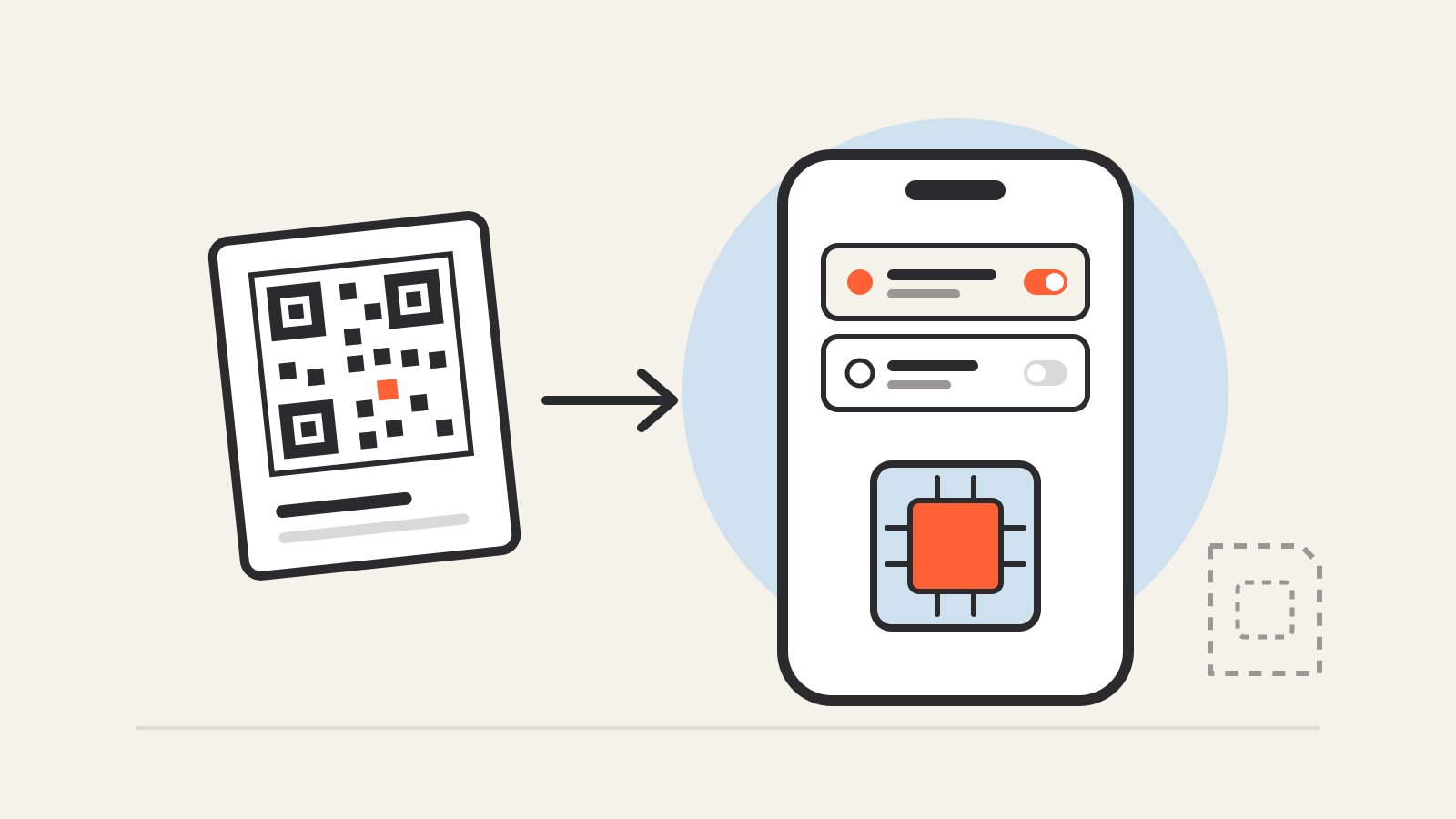
An eSIM is a SIM that lives on a chip built into your phone instead of on a plastic card you slide into a tray. It does the same job as the card: it holds the details that identify your line to a mobile network.
The difference is how those details get onto the phone. With a physical SIM, the carrier mails or hands you a card. With an eSIM, the carrier sends a digital profile that the phone downloads, usually after you scan a QR code, tap a link or use the carrier’s app.
The GSMA, the mobile industry body that wrote the eSIM specifications, describes it this way: the role of the SIM is not changing, but it can now be “securely downloaded” into a secure element that is permanently embedded in the device, with security equivalent to a removable card.
How an eSIM works
The chip in the phone is the hardware. What changes from carrier to carrier is the profile stored on it. A profile is the carrier’s package of credentials for one line: the information the network checks before it lets the phone register, place calls or use data.
Activating an eSIM means downloading a profile onto the chip. Apple’s eSIM setup guide lists the routes a carrier can offer on an iPhone:
- Carrier activation. The carrier assigns a profile to the phone when you buy it or ask for one, and a “Carrier Cellular Plan Ready to Be Installed” notice appears.
- QR code. You scan a code the carrier gives you, and the phone fetches the profile it points to.
- Link or app. The carrier sends a link, or its own app installs the profile.
- Manual entry. You type in the details the carrier provides.
- Quick Transfer. You move the line from your old iPhone to the new one, if the carrier supports it.
Android phones follow the same pattern. On a Pixel, Google’s instructions are to open Settings, then Network & internet, SIMs, Add SIM and Set up an eSIM, and follow the carrier’s steps.
The QR code is not the eSIM itself. It is an instruction that tells the phone where to download the profile. Treat it like a key to your line: a carrier code you did not request, or one sent by a stranger, deserves suspicion.
eSIM vs physical SIM
| Physical SIM | eSIM | |
|---|---|---|
| Where it lives | Removable card in a tray | Chip built into the phone |
| How you get it | Carrier hands you or mails a card | Download a profile: QR code, link, app or carrier activation |
| Several lines on one phone | One card per tray | Several profiles stored; one or two active at once, depending on the phone |
| If the phone is stolen | The card can be removed and used elsewhere | Cannot be pulled out of the phone |
| Switching phones | Move the card | Transfer through the phone, the carrier or its app |
The table is about the format. Your phone number, plan and price come from the carrier, not from the type of SIM.
Several profiles, one or two active lines
A phone can hold more eSIM profiles than it can use at the same moment. The GSMA says consumers can store several operator profiles on a device and switch between them remotely. Apple says an iPhone can store eight or more eSIMs. How many lines run at once depends on the model:
- iPhone XR, XS and later can run a physical SIM and an eSIM together; iPhone 13 and later can also run two eSIMs at once, according to Apple’s Dual SIM guide.
- Pixel 3a and later can pair a physical SIM with an eSIM. A Pixel 7 or later can run two eSIM profiles at once if the carrier allows it, according to Google’s dual SIM help page.
Some phones no longer have a SIM tray. Google says Pixel 10, Pixel 10 Pro and Pixel 10 Pro XL phones sold in the US are eSIM-only.
Using an eSIM for travel
Travel is where many people first meet eSIM. Apple’s travel guide describes two routes. You can roam with your existing carrier, which works the same as roaming with a physical SIM, or buy a travel eSIM from a local carrier or a worldwide provider. Many local plans come with a local number. Data-only plans from worldwide providers do not.
Using another carrier’s eSIM needs an unlocked phone. With two lines active, Apple says the travel eSIM can carry data while the home line keeps working for calls and texts. In that setup you might still pay roaming fees on the home line. If you use only the travel eSIM, FaceTime and iMessage keep working on the home number.
Depending on local rules, a carrier may ask for identification such as a passport before it sells you a local plan.
Changing phones
An eSIM cannot be pulled out and moved by hand, so moving it is a software step. On iPhone, eSIM Quick Transfer moves the line from your old iPhone to the new one when the carrier supports it. Both phones need iOS 18.4 or later, Bluetooth on and the same Apple Account. The old SIM stops working once the new one activates.
Between Android and iPhone, Apple says to contact your carrier. With iOS 26, some carriers and phone makers also support direct transfers in either direction. If the transfer route fails, the carrier can issue a new profile by QR code or carrier activation.
Be careful when you wipe a phone. On a Pixel, you can delete an eSIM from Settings by choosing Erase eSIM. Erasing a profile you still need means asking the carrier for a new one.
Is an eSIM safer?
Against theft, yes. Apple says an eSIM is more secure than a physical SIM because it cannot be removed if your iPhone is lost or stolen. Google says eSIMs are more secure and less damage-prone than cards because they are embedded in the device.
The bigger risk sits with the carrier account. In SIM-swap fraud, a criminal convinces a carrier to move your number to a SIM or eSIM they control, then receives your text-message codes. An eSIM does not stop that, because the attack happens at the carrier. In November 2023 the US Federal Communications Commission adopted rules that apply to physical and virtual SIMs alike. Carriers must use secure authentication before a SIM change, notify customers about SIM change requests and offer account locks that block SIM changes.
Two practical steps help more than the SIM format. Turn on your carrier’s account lock or PIN where it offers one. For important accounts, sign in with an authenticator app or a passkey instead of SMS codes.